SpaceBrowser
A cross-platform disk space explorer with Go and Wails Github







Visualize disk usage with an interactive treemap, quickly identify large files and folders, explore your filesystem, and reclaim storage space.
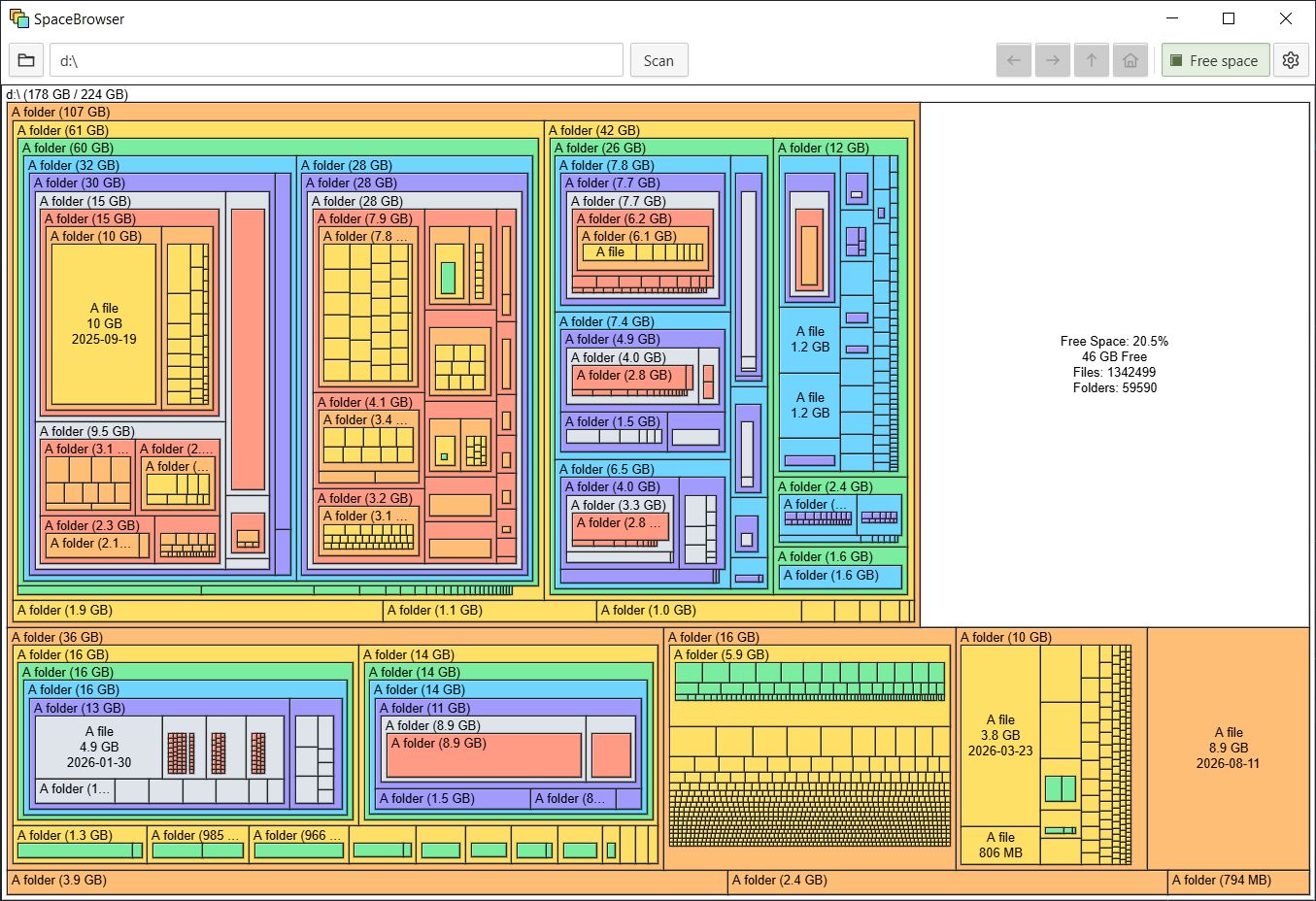
Features
SpaceBrowser recreates the main features of SpaceMonger 1.4 in a modern, cross-platform application.
Show all features
Visualization and scanning
- Size-proportional treemap for files and folders
- Locations sidebar for drives, volumes, and folders
- Optional free-space node for scanned volumes
- Configurable small-file aggregation threshold
- Animated live scan display
- Exclusions for paths, hidden files, symlinks, and network filesystems
Navigation and actions
- In-treemap navigation with Back, Forward, Parent, and Root commands
- Hover details with full path, byte size, modification date, and system icon
- “Open” and “Open with…” commands for files and folders
- Move-to-trash and permanent deletion with protection for sensitive filesystem locations
- Empty trash command
Customization
- Configurable rectangle color palettes, scale, shape, shading, and hover highlighting
- Rebindable keyboard shortcuts
- Persistent application settings
Platforms
- Windows: Supported
- Linux: Supported
- macOS: Build available, but not yet tested
Installation
Download the latest available version from the GitHub Releases page.
| Platform | Available packages |
|---|---|
| Windows | MSI installer, portable EXE |
| Linux | DEB, RPM, portable binary, setup TAR.GZ |
| macOS | DMG, ZIP (untested) |
Note: macOS builds are provided but have not yet been tested. Feedback and bug reports are welcome.
Build from source
Prerequisites
Clone and install build tools
git clone https://github.com/Kiord/SpaceBrowser.git
cd SpaceBrowser
go install github.com/wailsapp/wails/v2/cmd/wails@v2.17.0
Build
wails build
Usage
Launch SpaceBrowser normally to select a location to scan, or provide a path as a command-line argument to begin scanning immediately.
Command-line options
Usage: spacebrowser [path] [options]

Launch SpaceBrowser and optionally begin scanning path.

Options:
      --no-cache         Disable saved-scan loading/saving for this session
      --cache            Enable saved-scan caching (default)
  -v, --verbosity level  Logging verbosity: 0=critical, 1=error,
                         2=warning, 3=info, 4=debug, 5=trace (default 3)
  -h, --help             Show this help
      --version          Show the SpaceBrowser version
Contributing
Contributions, bug reports and suggestions are welcome!
- Report a bug or request a feature
- Share feedback, especially about Linux and macOS compatibility